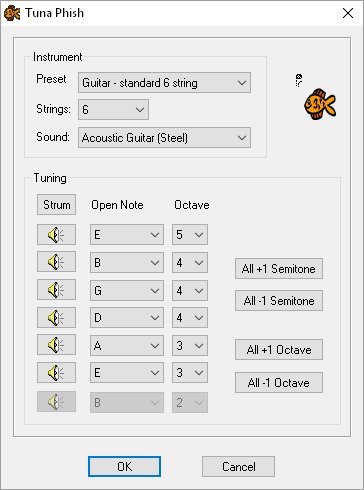
The tuning options dialog allows you to set the tuning, etc. used for the guitar neck.
From here you can specify the following:
Preset: Start with a standard instrument used for playing notes.
Strings: The number of strings on the instrument
Sound: The instrument sound to be used when playing scales/arpeggios in PhatPhish
Here you can specify the pitch for each string:
String Tunings: For each string, you can set the note and octave that the string is tuned to. Click on the button for the string to hear what the note sounds like.
Strum: Plays each string in turn.
All +1 Semitone: Raises the pitch of all of the strings by one semitone.
All -1 Semitone: Lowers the pitch of all of the strings by one semitone.
All +1 Octave: Raises the pitch of all of the strings by one octave.
All -1 Octave: Lowers the pitch of all of the strings by one octave.
 |
©2002-2017, Dave Dixon / CyberFlotsam http://www.phatphish.co.uk |
|